
 Aaron Mavrinac
ec8cada9a2
Update application manifest.
Aaron Mavrinac
ec8cada9a2
Update application manifest.
|
3 年 前 | |
|---|---|---|
| icons | 3 年 前 | |
| interface | 3 年 前 | |
| .gitignore | 3 年 前 | |
| LICENSE | 3 年 前 | |
| README.md | 3 年 前 | |
| application.fam | 3 年 前 | |
| coleco.c | 3 年 前 | |
| coleco_10px.png | 3 年 前 | |
| ui.png | 3 年 前 |


README.md
RC2014 ColecoVision Controller for Flipper Zero
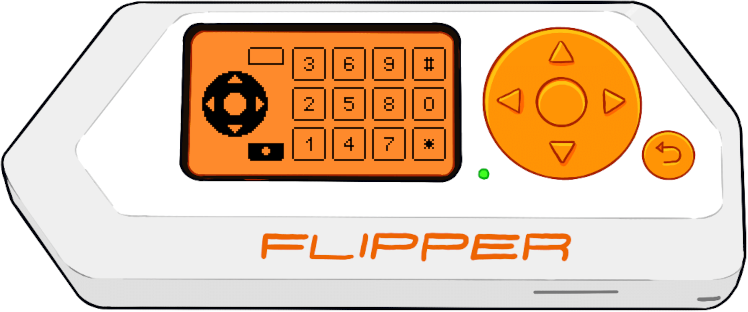
A Flipper Zero application and RC2014 module allowing the Flipper to be used as a controller for ColecoVision games on the RC2014.
Running ColecoVision Games on the RC2014
A full tutorial is out of scope here, but briefly, you will need a RC2014 with J. B. Langston's TMS9918A Video Card and SN76489 Sound Card, as well as some way to launch ColecoVision ROMs.
Note that if you're using the standard pageable ROM module (e.g. if you're using the stock Pro kit), you will need to modify it in order for the TMS9918A module to work on the ColecoVision port addresses.
Hardware Setup
The interface directory contains Eagle schematics for a RC2014 module that handles the controller port addressing for two players, breaking out the 8 data line inputs as well as the mode select line. This can actually be used for different controller implementations and is slightly more flexible than the actual ColecoVision spec.
To use this with the Flipper Zero and this application, a GPIO board is needed to provide hardware multiplexing for the data lines. A schematic for the GPIO board will be added to this repository soon.
Building the FAP
- Clone the flipperzero-firmware repository.
- Create a symbolic link in
applications_usernamedcoleco, pointing to this repository. - Compile with
./fbt fap_coleco. - Copy
build/f7-firmware-D/.extapps/coleco.faptoapps/Miscon the SD card (directly or using qFlipper).