
 Aaron Mavrinac
94922f96eb
README improvements.
Aaron Mavrinac
94922f96eb
README improvements.
|
3 лет назад | |
|---|---|---|
| .github | 3 лет назад | |
| icons | 3 лет назад | |
| img | 3 лет назад | |
| .gitignore | 3 лет назад | |
| README.md | 3 лет назад | |
| application.fam | 3 лет назад | |
| gui_extensions.c | 3 лет назад | |
| gui_extensions.h | 4 лет назад | |
| metronome.c | 3 лет назад | |
| metronome_icon.png | 4 лет назад | |
| ui.png | 3 лет назад |


README.md
Metronome

A metronome for the Flipper Zero.
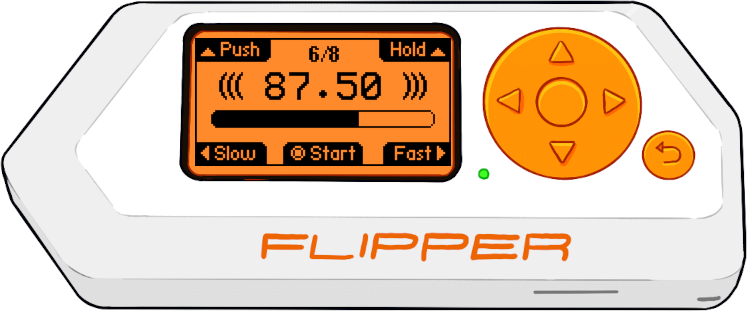
Installation
- Navigate to the FAP Build GitHub action workflow, and select the most recent run.
- The FAP is built for both the
devandreleasechannels of the official firmware. Download the artifact corresponding to your firmware version. - Extract
metronome.fapfrom the ZIP file toapps/Musicon your Flipper Zero SD card.
Features
- BPM adjustable, fine and coarse (hold pressed)
- Selectable amount of beats per bar
- Selectable note length
- First beat is pronounced
- Progress indicator
- LED flashes accordingly
- 3 different settings: Beep, Vibrate, Silent (push Down to change)