
README_gl.md 4.5 KB
Pi-hole para YunoHost




Le este README en outros idiomas.
Este paquete permíteche instalar Pi-hole de xeito rápido e doado nun servidor YunoHost.
Se non usas YunoHost, le a documentación para saber como instalalo.
Vista xeral
The Pi-hole® is a DNS sinkhole that protects your devices from unwanted content without installing any client-side software.
Versión proporcionada: 5.14.2~ynh4
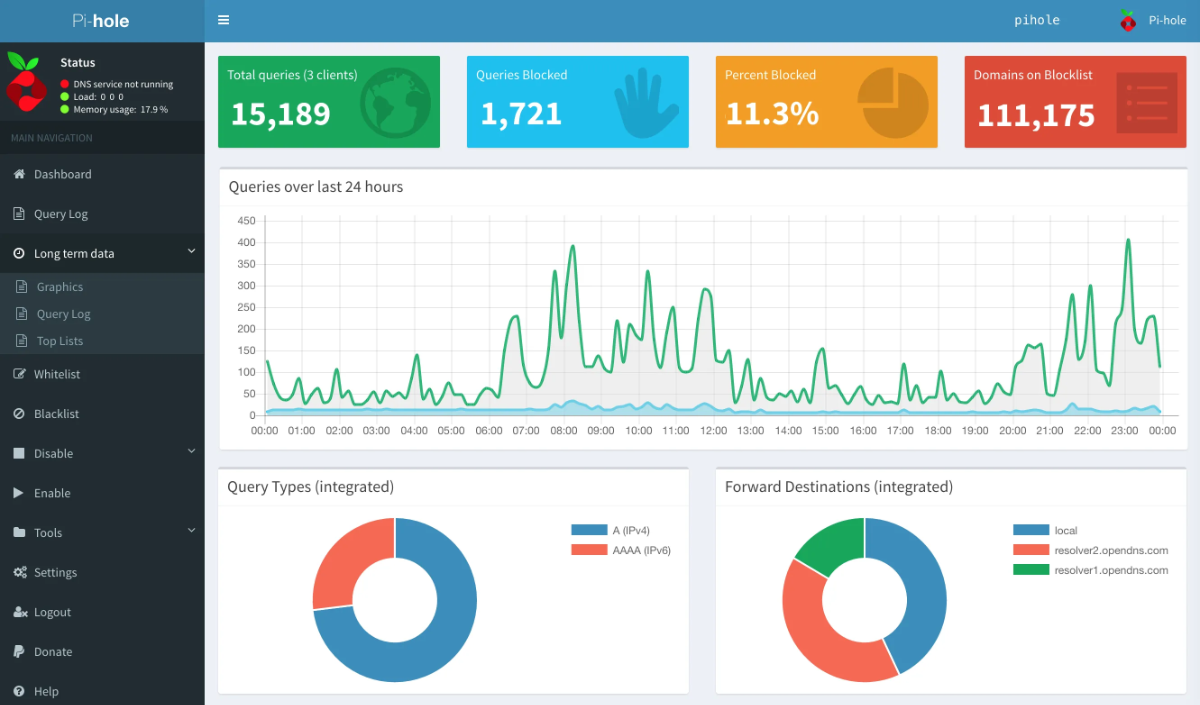
Capturas de pantalla
Avisos / información importante
Configuration
Use the admin panel of your Pi-hole to configure this app. You may also need to follow the post-install guide to setup Pi-hole either as a DNS server or a DHCP server.
Limitations
- Activate DHCP with Pi-hole needs manual configuration of your router.
Using Pi-hole as your DHCP server
Be careful, you should considering that playing with your DHCP may break your network.
In case your server is down, you will lose your dns resolution and ip address.
So, you will lose any internet connection and even the connection to your router.If you encounter this kind of problem, please see "How to restore my network" at the end of this document.
How to configure Pi-hole
There're two ways to configure Pi-hole to be used as your DHCP server.
- Either you can choose to use it when you install the app.
- Or you can activate the DHCP server afterwards in the "Settings" tab, "Pi-hole DHCP Server" part.
In this second case, it can be better to set the ip of the server to a static address
How to configure my router
Your personal router or ISP's router has a DHCP server enabled by default.
If you keep this DHCP, along with Pi-hole's one, you will have transparent conflicts between them.
The first DHCP to respond will distribute its own ip and settings.
So you have to turn off the DHCP of your router to let Pi-hole managed your network.
Why should I use only the DHCP of Pi-hole ?
By using the DHCP of Pi-hole, you allow Pi-hole to give at each of your client its dns configuration. This way every requests will be filtered by Pi-hole.
Another use case of using Pi-hole's DHCP is if you have hairpinning problems (You can't connect to your server because its IP is your public IP, and your router doesn't allow that).
In this case, using Pi-hole's dns will allow you to connect to your server by its local address instead of its public one.
How to restore my network
Oh crap !
Your Pi-hole server is down, and you don't have a DHCP anymore.
Don't panic, We'll get through it. \o/
Use your favorite terminal on your desktop computer.
And first, get your main interface (usually eth0).
sudo ifconfig
Then, set your ip as a static ip.
sudo ifconfig eth0 192.168.1.100
Now, you can connect to your router and turn on its DHCP server to use it again.
You can now reset your ip and get a dynamic address.
sudo ifconfig eth0 0.0.0.0 && sudo dhclient eth0
Don't forget to turn off the DHCP of your router if your server is working again.
Documentación e recursos
- Web oficial da app: https://pi-hole.net/
- Documentación oficial para admin: https://docs.pi-hole.net
- Repositorio de orixe do código: https://github.com/pi-hole/pi-hole
- Tenda YunoHost: https://apps.yunohost.org/app/pihole
- Informar dun problema: https://github.com/YunoHost-Apps/pihole_ynh/issues
Info de desenvolvemento
Envía a túa colaboración á rama testing.
Para probar a rama testing, procede deste xeito:
sudo yunohost app install https://github.com/YunoHost-Apps/pihole_ynh/tree/testing --debug
ou
sudo yunohost app upgrade pihole -u https://github.com/YunoHost-Apps/pihole_ynh/tree/testing --debug
Máis info sobre o empaquetado da app: https://yunohost.org/packaging_apps