
 MX
8e523fbb5c
Add Screenshots
MX
8e523fbb5c
Add Screenshots
|
il y a 3 ans | |
|---|---|---|
| .. | ||
| assets | il y a 3 ans | |
| binaries | il y a 3 ans | |
| .gitignore | il y a 3 ans | |
| 1.png | il y a 3 ans | |
| 2.png | il y a 3 ans | |
| LICENSE | il y a 3 ans | |
| README.md | il y a 3 ans | |
| app.c | il y a 3 ans | |
| appicon.png | il y a 3 ans | |
| application.fam | il y a 3 ans | |


README.md
Servo tester app for Flipper Zero
https://user-images.githubusercontent.com/8887221/228034391-aa9df44c-dcf7-4999-9d22-590cc7ac0392.mp4
The aim of this app is to replicate the behavior from this tester:
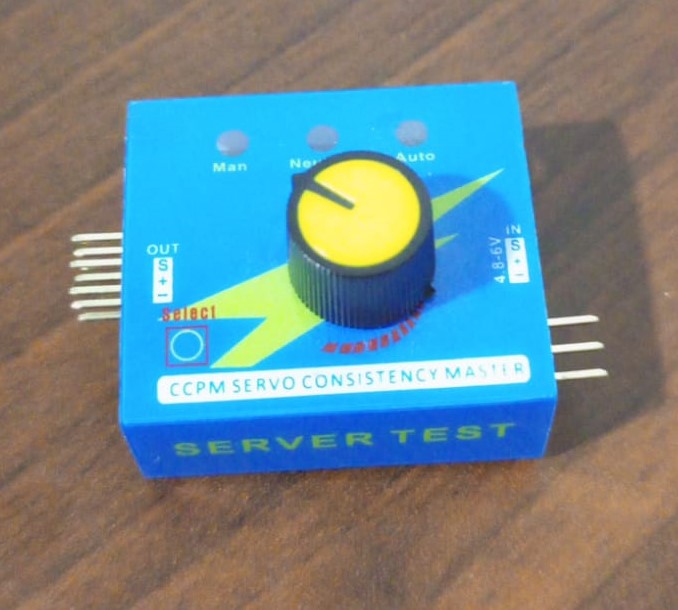
You can read more about it in this blog ! link to blog here
Usage
- Connect Servo control line to
A7pin. - Start app
- If you're supplying power from a power source, make sure it have common ground with the flipper.
Controls
- Left/Right: change angle in manual mode.
- Up/Down: change mode
The app have three modes:
- Manual: left increase 10°, right dcreace 10°.
- Center: move to 90°.
- Sweep: move between 0° & 180° every 1 second.
Angle range is: 0° to 180°.
Installing
Drop the servotester.fap from ./binaries to /ext/apps/GPIO/.
Building
- Navigate to your firmware directory >
./application_user - copy
servotester/content. - run
./fbt launch_app APPSRC=servotester