
 Willy-JL
6701a8ff60
Merge solitaire from https://github.com/xMasterX/all-the-plugins
Willy-JL
6701a8ff60
Merge solitaire from https://github.com/xMasterX/all-the-plugins
|
преди 2 години | |
|---|---|---|
| .. | ||
| assets | преди 2 години | |
| common | преди 2 години | |
| screenshots | преди 2 години | |
| .gitsubtree | преди 2 години | |
| LICENSE | преди 2 години | |
| README.md | преди 2 години | |
| application.fam | преди 2 години | |
| defines.h | преди 2 години | |
| solitaire.c | преди 2 години | |
| solitaire_10px.png | преди 2 години | |
README.md





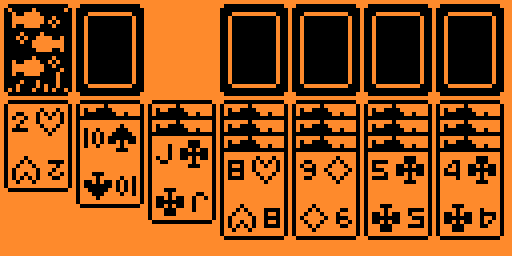
Solitaire game for Flipper Zero

Shortcuts
- Long press up skips the navigation inside the bottom column
- Long press center to automatically place the card to the top rigth section
Building
The app should be compatible with the official and custom flipper firmwares. If not, follow these steps to build it yourself
- Download your firmware's source code
- Clone the repository recursively
git clone REPO_URL --recursiveinto the firmware's applications_user folder- Navigate into the firmwares root folder
- Make sure you can use the Fipper build tool
To build the project, type this into your console:
Linux
./fbt fap_{APP_NAME}
Windows
fbt.cmd fap_{APP_NAME}
the finished build will be in the following location, copy this into your SD card: build\f7-firmware-D.extapps\blackjack.fap