
 anfractuosity
665600a614
Bump version
anfractuosity
665600a614
Bump version
|
1 anno fa | |
|---|---|---|
| .github | 3 anni fa | |
| docs | 2 anni fa | |
| icons | 3 anni fa | |
| photos | 3 anni fa | |
| scenes | 1 anno fa | |
| screenshots | 3 anni fa | |
| README.md | 3 anni fa | |
| application.fam | 1 anno fa | |
| scope.c | 1 anno fa | |
| scope_10px.png | 3 anni fa | |
| scope_app_i.h | 1 anno fa |

README.md
flipperscope
To compile and install
cd flipperzero-firmware/applications_user
git clone https://github.com/anfractuosity/flipperscope.git
cd ..
./fbt DEBUG=1 VERBOSE=1 fap_scope
./fbt launch_app APPSRC=applications_user/flipperscope
Alternatively the binary can now be installed from https://lab.flipper.net/apps/flipperscope or the Flipper Mobile App.
Provide signal to pin 16/PC0, with a voltage ranging from 0V to 2.5V and ground to pin 18/GND.
Press the 'ok' button (button in the centre of joypad) to pause/unpause the waveform display.
Demo showing three different waveform types from a signal generator.
Also see Derek Jamison's demonstration of this app as well as other interesting projects.
Measurements
- Measures frequency of waveform in hertz
- Measures voltage: min, max, Vpp


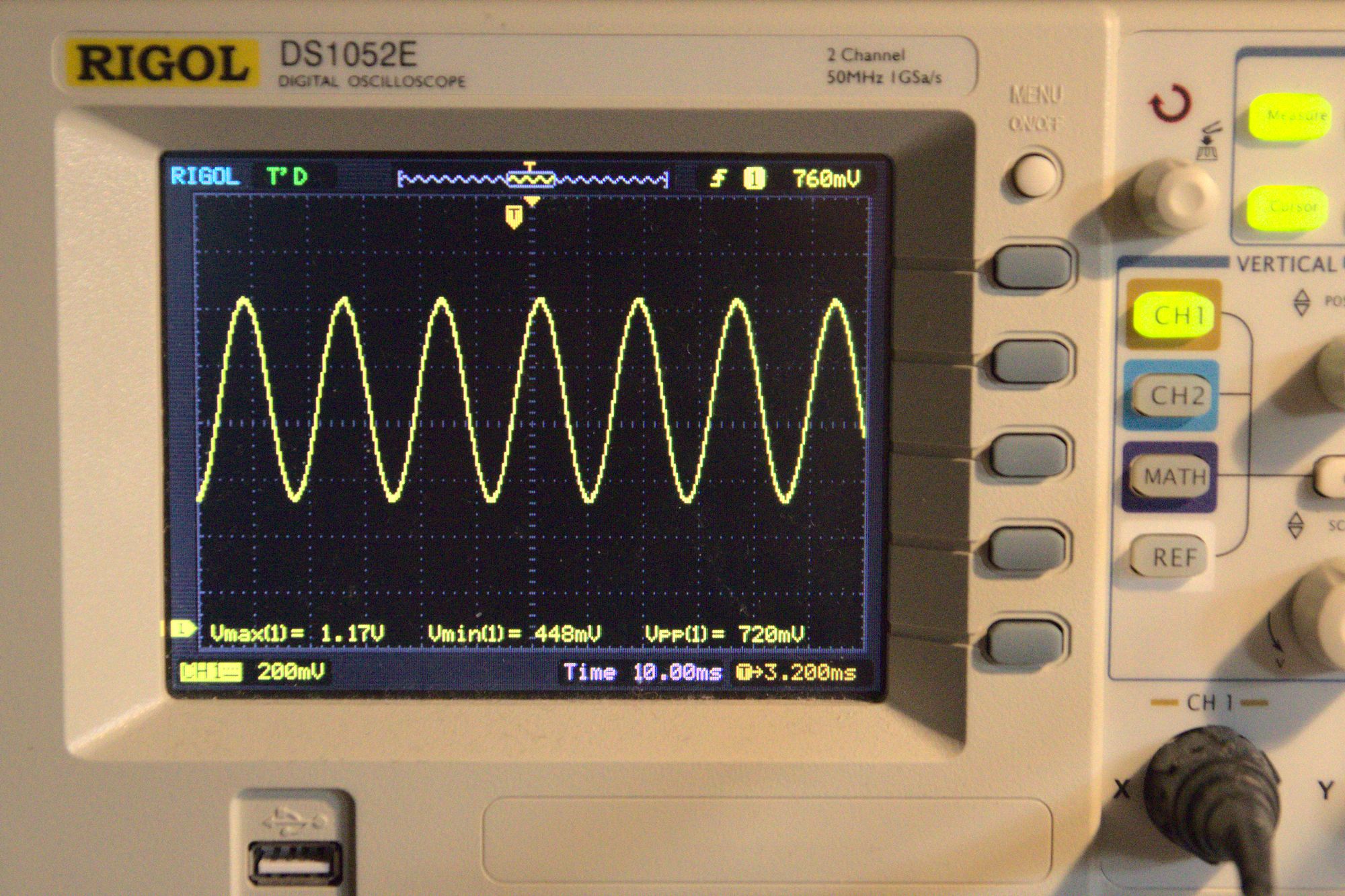
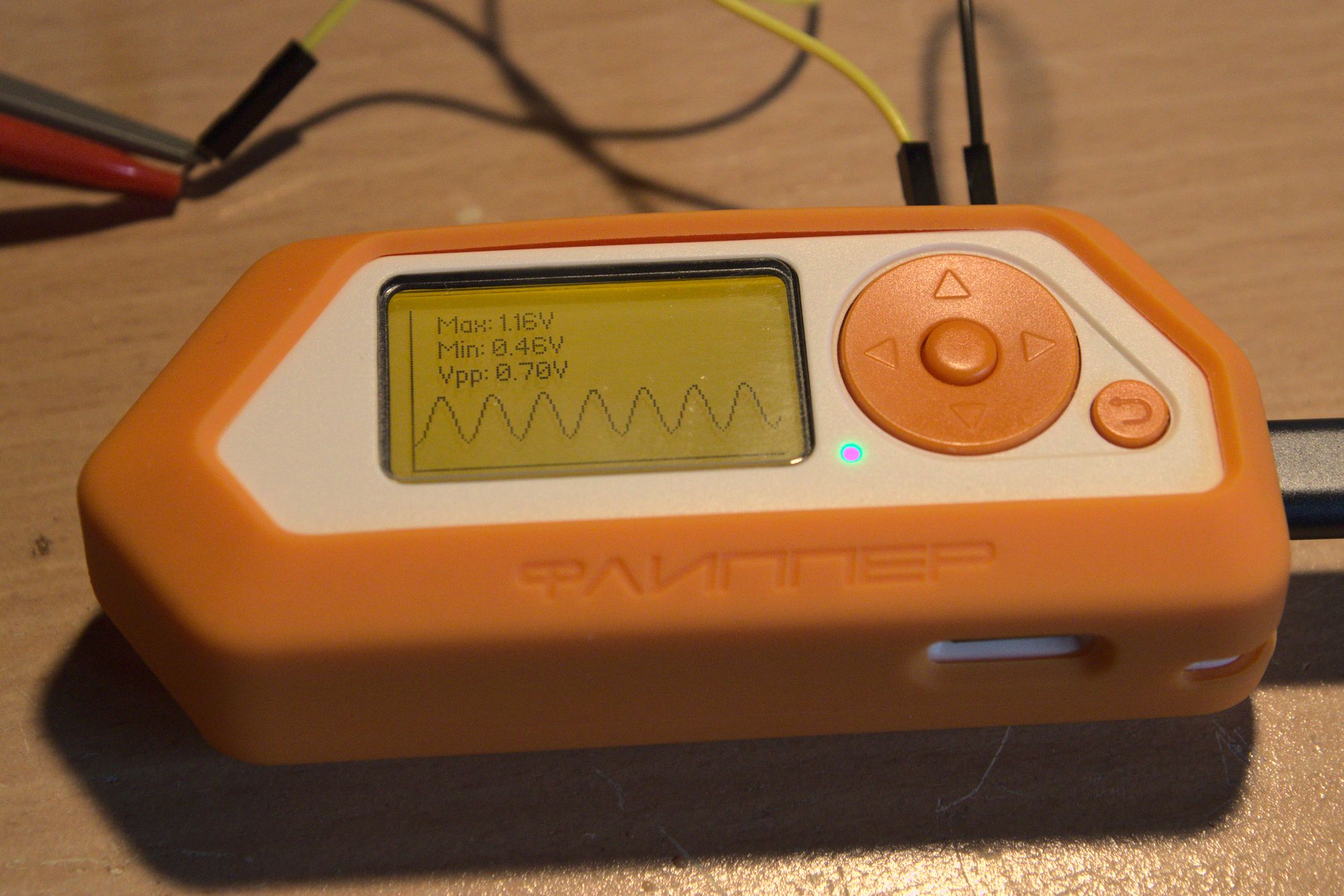
Processing captures
You can use the following simple Python script, for processing the captured waveforms, from flipperscope.
import matplotlib.pyplot as plt
import numpy as np
import struct

fig, ax = plt.subplots()
data = open("Sine.dat", "rb").read()
y = [(float(x[0]) / 2500) * 2.5 for x in struct.iter_unpack("<H", data)]
x = np.arange(len(y))

ax.plot(x, y, label='Voltage')
ax.set_xlabel('Sample')
ax.set_ylabel('Voltage / V')
ax.set_title('ADC Voltage')
ax.set_ylim([0, 2.5])
ax.legend()
plt.show()
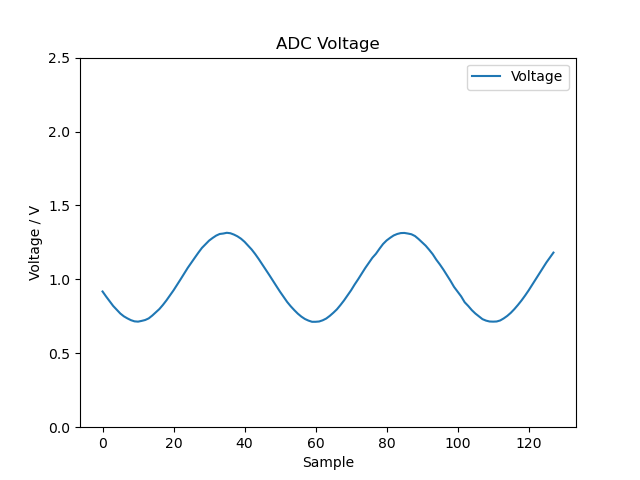
To Do
- Customisable input pin
- Trigger type mode
- FFT
- ...
Inspiration
- For GUI menu system, used code principles from weather station and signal generator apps
- STM32 DMA example
- VREFBUF information - https://community.st.com/s/question/0D53W00001awIlMSAU/enable-and-use-vrefbuf-for-adc-measures
- Relocating vector table - https://community.nxp.com/t5/i-MX-Processors/Relocate-vector-table-to-ITCM/m-p/1302304