
 MX
01af784166
fix plugins, remove dupe
MX
01af784166
fix plugins, remove dupe
|
3 سال پیش | |
|---|---|---|
| .. | ||
| icons | 3 سال پیش | |
| images | 3 سال پیش | |
| img | 3 سال پیش | |
| .gitignore | 3 سال پیش | |
| LICENSE | 3 سال پیش | |
| README.md | 3 سال پیش | |
| airmon.c | 3 سال پیش | |
| airmon_10px.png | 3 سال پیش | |
| airmon_aqi.c | 3 سال پیش | |
| airmon_aqi.h | 3 سال پیش | |
| airmon_pms.c | 3 سال پیش | |
| airmon_pms.h | 3 سال پیش | |
| application.fam | 3 سال پیش | |

README.md
Airmon for Flipper Zero
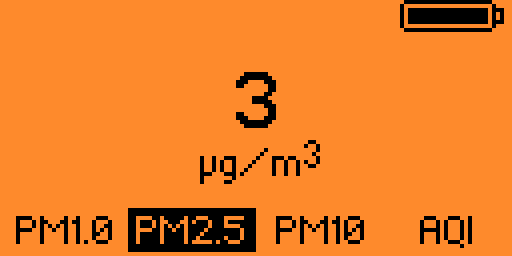
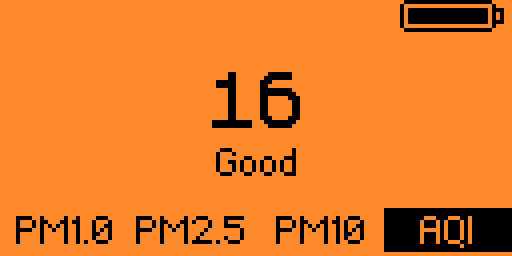
A simple Flipper Zero air quality monitoring application. It displays measured PM1.0/PM2.5/PM10 Particulate Matter concentrations and calculated Air Quality Index (AQI).
Hardware setup
Connect the Plantower PMS5003/PMS7003/PMS9003 sensor according to the wiring diagram below.
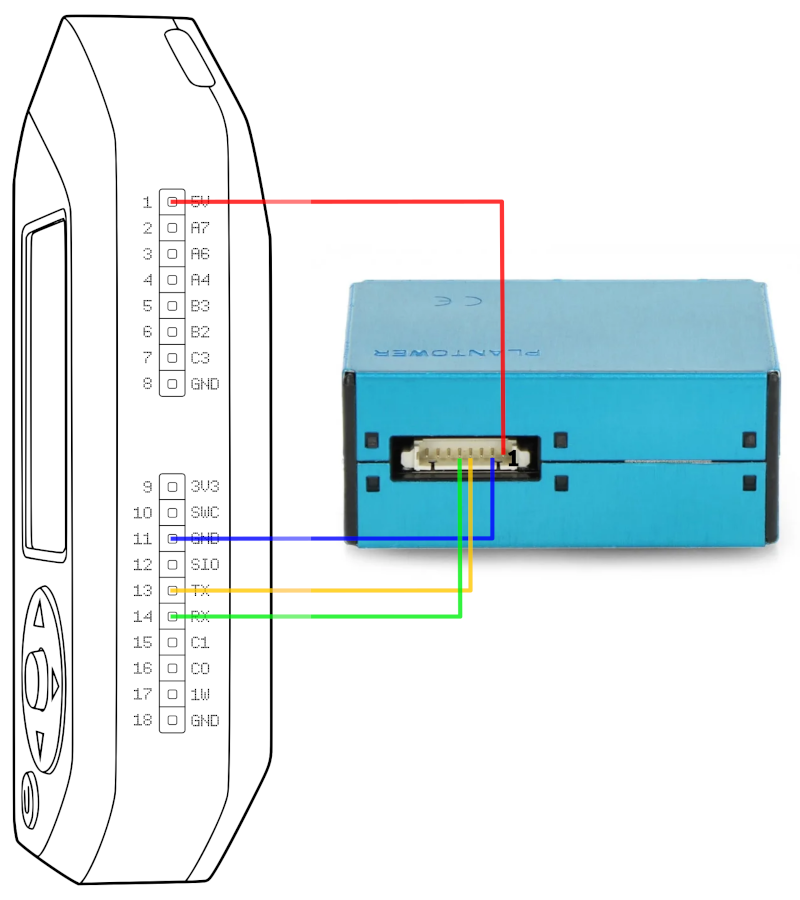
| Flipper Pin | Sensor Pin |
|---|---|
| 1 (5V) | 1 (5V) |
| 11 (GND) | 2 (GND) |
| 13 (TX) | 4 (RX) |
| 14 (RX) | 5 (TX) |
Building and installing
- Clone
airmonrepository usinggit clone https://github.com/3cky/flipperzero-airmoncommand. - Install uFBT Flipper Build Tool.
- Compile application running
ufbtcommand in the cloned directory root. - Install and start
airmonapplication on Flipper attached over USB usingufbt launchcommand.
Application controls
Use left/right arrows for PM/AQI display mode switching. Flipper LED will blink green once every successful sensor reads.
License
Airmon is available under the GPL 3 license. See the LICENSE file for more info.