
 Tibor Tálosi
009a07d5f4
updated Readme
Tibor Tálosi
009a07d5f4
updated Readme
|
3 лет назад | |
|---|---|---|
| assets | 3 лет назад | |
| common @ 4ef796c450 | 3 лет назад | |
| screenshots | 3 лет назад | |
| .gitmodules | 3 лет назад | |
| LICENSE | 3 лет назад | |
| README.md | 3 лет назад | |
| application.fam | 3 лет назад | |
| blackjack.c | 3 лет назад | |
| blackjack_10px.png | 3 лет назад | |
| defines.h | 3 лет назад | |
| ui.c | 3 лет назад | |
| ui.h | 3 лет назад | |
| util.c | 3 лет назад | |
| util.h | 3 лет назад |

README.md
Blackjac for Flipper Zero
Blackjack
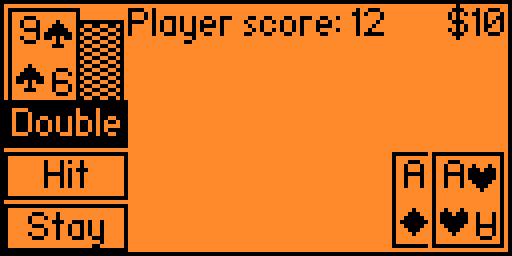
Building
The app should be compatible with the official and custom flipper firmwares. If not, follow these steps to build it yourself
- Download your firmware's source code
- Clone the repository recursively
git clone REPO_URL --recursiveinto the firmware's applications_user folder- Navigate into the firmwares root folder
- Make sure you can use the Fipper build tool
To build the project, type this into your console:
Linux
./fbt fap_{APP_NAME}
Windows
fbt.cmd fap_{APP_NAME}
the finished build will be in the following location, copy this into your SD card: build\f7-firmware-D.extapps\blackjack.fap